
Access and search
XING TalentManager provides search, filters and projects for active sourcing in the German-speaking market. This is where you find and assess profiles.
Your TalentManager finds the candidates. ZingBot works through your reviewed list. As soon as a reply lands in the XING inbox, you take over the conversation — instead of spending the afternoon copying, pasting and chasing follow-ups.
The term sounds like one product. In practice, it covers three jobs. Strong recruiting teams separate access and search, list preparation and outreach, then give each step to the tool built for it.
XING TalentManager provides search, filters and projects for active sourcing in the German-speaking market. This is where you find and assess profiles.
Search, data and export tools turn existing profiles into a working list. Their value is clean data and a hand-off that does not create another round of spreadsheet work.
Outreach workflow tools execute a reviewed list. ZingBot sends through your own XING account, follows up and stops the sequence when a person replies.
TalentManager, ZingBot and the recruiter are not competing for the same job. TalentManager makes the market searchable. ZingBot makes the selected list workable. The recruiter turns a reply into a conversation.
| Stage | Owner | Outcome |
|---|---|---|
| Find candidates | XING TalentManager and recruiter | A relevant selection from a search or project |
| Prepare the list | Recruiter, with a data or export tool if needed | A reviewed list of the people you want to contact |
| Work the list | ZingBot inside your own XING account | Messages and follow-ups run until a person replies |
| Take over the reply | Recruiter | A personal candidate conversation with context and judgement |
ZingBot starts with a list you have already reviewed. To import from a TalentManager search or TalentManager project, you need your own XING TalentManager licence. You then set up the outreach once and let the workflow run inside your XING account.
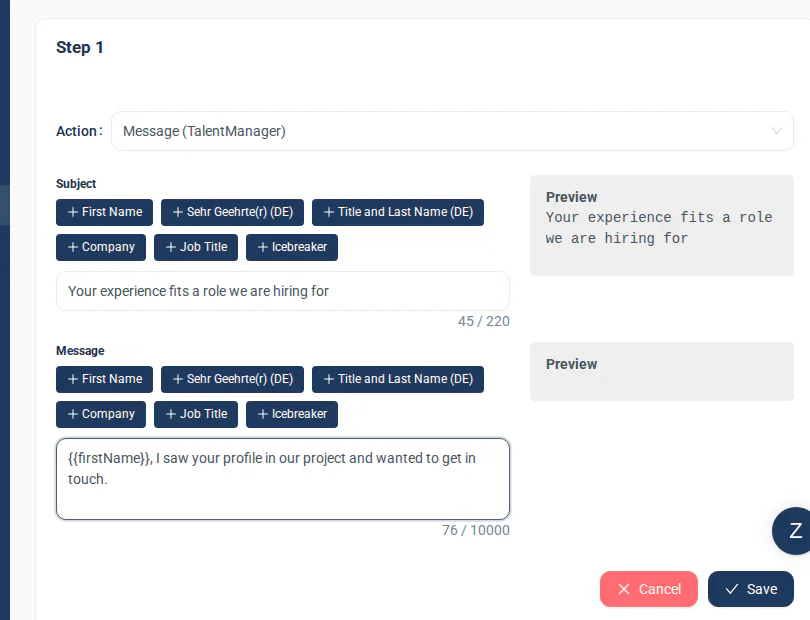
The cleanest process has a visible hand-off. Nobody has to guess whether the list is ready or who owns the reply.
Find profiles in XING TalentManager and refine the search criteria, filters or projects.
Review the profiles and decide which candidates should receive the outreach.
With your own XING TalentManager licence, import the reviewed list from a search or project into ZingBot.
ZingBot sends the prepared message and follow-ups through your own XING account.
A reply ends the sequence for that person. You read it in the XING inbox and continue the candidate conversation yourself.
The workflow runs through your real XING session, so XING account limits and verification prompts remain part of the operation. You can see what is running in the account being used, and the outreach stays in the same place where the replies arrive.
Turn your TalentManager list into conversations.
You choose the candidates. ZingBot handles messages and follow-ups. You take over the replies.
7-day free trial, then €405 per quarter per seat.